Only logged in customers who have purchased this product may leave a review.
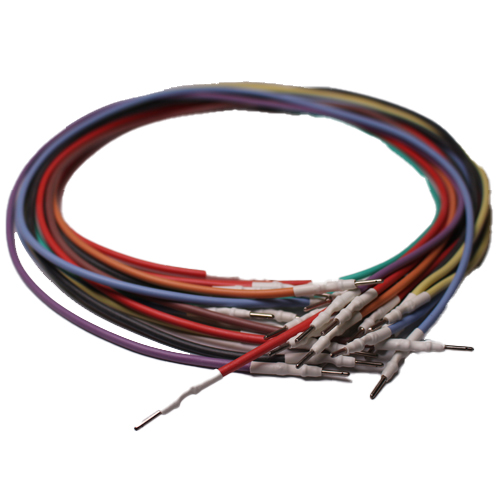
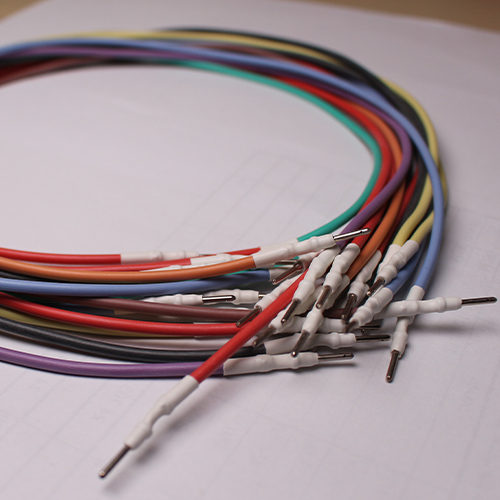
Cabling kit: FLX3.5 color coded wiring harness
SKU:
FLK35
In Stock
$75.00
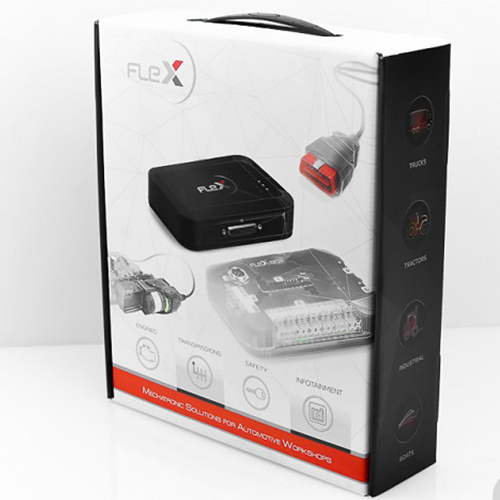
Set of colored silicone connection cables for FLEXBox, to be used with FLX42 for ECU/TCU connections
In Stock

Have a Question? Ask a Specialist
(+964)7511222233Start Live Chat
Low Prices
Price match guarantee
Guaranteed Fitment.
Always the correct part
In-House Experts.
We know our products
Easy Returns.
Quick & Hassle Free
Related products
SW FLEX SIEMENS C165/166/167 SLAVE
This FLEX SW package allows work in Bootloader mode on all control units that mount C165/166/167 Siemens microprocessors. This family of microprocessors is generally supported by older generation ECUs like ME7 and EDC15.
Add to cart SW FLEX RENESAS SH7XXXX MASTER
The FLS0.6M software package contains all the protocols for work in OBD, Boot and Bench on ECUs and TCUs that mount Renesas SH7xxxx microprocessors. This family of microprocessors is generally supported by DENSO and Continental. This MASTER SW package also includes protocols for work on Kubota tractors via OBD, Boot and Bench as well. Thanks to the functions of FLEX, it is also possible to perform a complete read and write directly via OBD on this family of microprocessors. MAGICMOTORSPORT recommends that this SW package be used with FLEX and the KUBOTA OBD socket to FLEX connection cable to obtain more efficient results and safer working conditions with no connection errors.
Add to cart OBD/BENCH ECUS (CARS, BIKES, VANS) SLAVE
On activation of this SW package for FLEX, the user may work on all supported protocols for ECUs in cars, motorcycles and vans in OBD and Bench mode. Thanks to the state-of-the-art FLEX HW, programming in Bench mode guarantees a complete reading and writing of the contents of the control unit with no need to open it.
Add to cart Pin adapter kit for connections between FLK35 and ECU / TCU pins
Add to cart Datalogger Plus: the best ally for each professional tuner
Configure your Datalogger
Check the compatibility on the vehicle list so select the needed vehicle. Connect the OBDII cable (FLX2.10) and go through the steps of the checklist to carry out a perfect test.
Choose the most suitable sensors and values for your analysis, configure their display and jump on the car to make your record.
Choose the most suitable parameters
The right amount of parameters that could be analyzed depends on the selected model of vehicle, ranging between 50 and 2000 switchable sensors.
To minimize configuration times of the most suitable sensors, the software automatically groups the most commonly used parameters in default mode. This significantly saves the user's time and guarantees an intuitive and fast search.
Each sensor can be displayed in 5 different modes: graph, numerical value, linear gauge, large gauge and small gauge.
Data sampling up to 50Hz in Plus mode
The Plus version allows you to record with sampling up to 50Hz.
It is possible to share and view your data from any device, when connected to the ECUs, witch adapts automatically on the base of the number of sensors selected by the user.
This is to offer maximum efficiency in all conditions and with a sampling rate of up to 20ms.
Share and view data directly from the online panel
Use the online chart to view and analyze the recording once the test is finished.
Share measurements with other users at any time. By clicking on the share button the share link will be generated. The online chart is compatible with any kind of desktop and portable device.
Add to cart


Reviews
There are no reviews yet.